Skip to content

This website is not operated by Chamet. We are an independent Chamet agency partner — and you can become one too. Read the disclaimer

Chamet Agency

Payments

Chamet payments and MetWallet withdrawals

How Beans turn into money in your bank account: the official rate, the minimum withdrawal, binding MetWallet, verification levels and cashing out. For hosts and agents.
One hand passing a bank card to another

How money flows

From Diamonds to your bank

  1. Step 1

    Users buy Diamonds

    Through Chamet's official recharge channels.

  2. Step 2

    Hosts receive Beans

    From eligible gifts, video chats and party rooms.

  3. Step 3

    Withdraw to MetWallet

    From US$10, in real time, with no Chamet transfer fee.

  4. Step 4

    Cash out to your account

    Bank or e-wallet; fees and timing depend on your country.

Official rate
10,000 Beans = US$1
Minimum withdrawal
US$10 (100,000 Beans)
Chamet to MetWallet
Real time, no Chamet transfer fee

Source: Chamet's host earnings page (opens in a new tab). Agency commission is settled daily at 23:59 (UTC+8) (21:29 IST).

Step 1

Bind MetWallet once

MetWallet is Chamet's official wallet app. Older guides call it ArriPay: the steps are the same.

Hosts, in the Chamet app

  1. Open Profile, thenMy Earning, thenMy Wallet.
  2. Tap the MetWallet bind option, then Go to MetWallet.
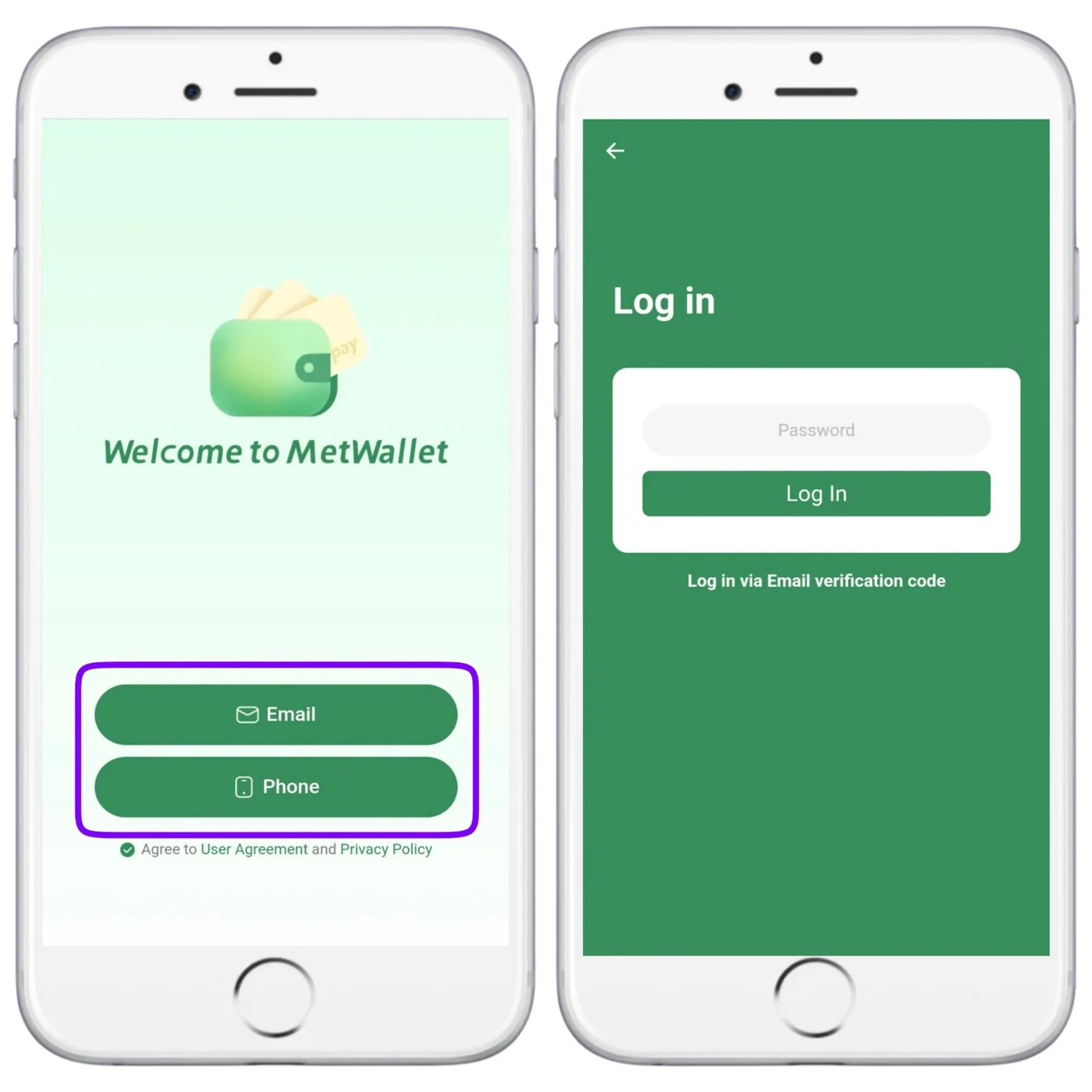
  3. Register or sign in with your email or phone number.
  4. Tap Authorize.
Host guide with screenshots

Agents, in the agency dashboard

  1. Open Menu, thenMy Profile.
  2. Choose to bind MetWallet, then Go to MetWallet.
  3. Register or sign in with your email or phone number.
  4. Tap Authorize. You can check or change the bound account here later.
Agency guide with screenshots
Welcome to MetWallet screen with Email and Phone sign-in
Welcome to MetWallet: sign up or log in with email or phone.

Step 2

Verify your identity to raise your limit

Open the menu in MetWallet to see the three levels. Use your real details: a mismatch can block withdrawals. These limits are what MetWallet showed in our walkthrough; check the app for today's figures.

Level 1

Basic Level

Your real name, gender, birthday, email and address

Cash-out limit: US$50 a day
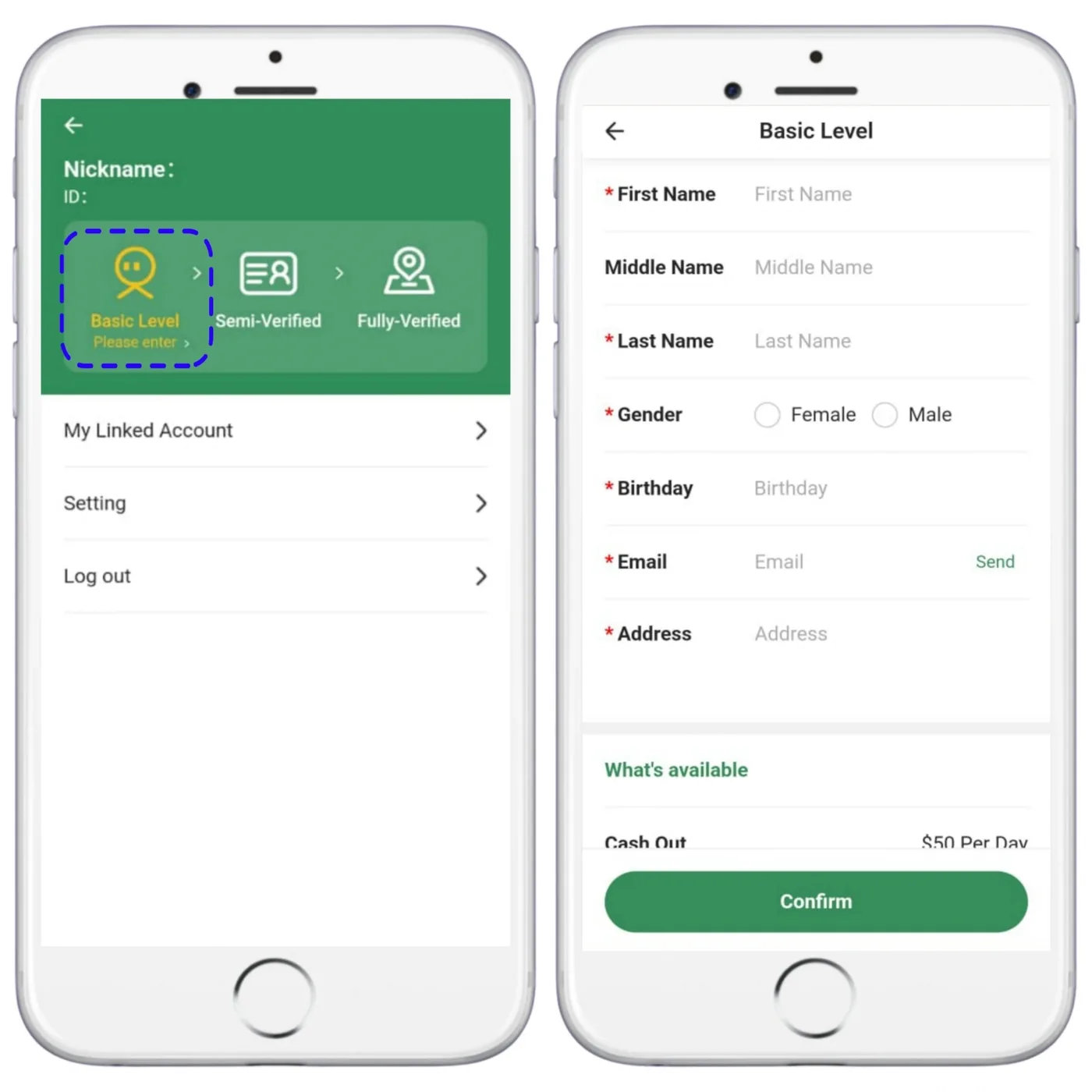
MetWallet Basic Level form showing a cash-out limit of US$50 per day

Level 2

Semi-Verified

A clear photo of your ID document

Cash-out limit: US$5,000 a day
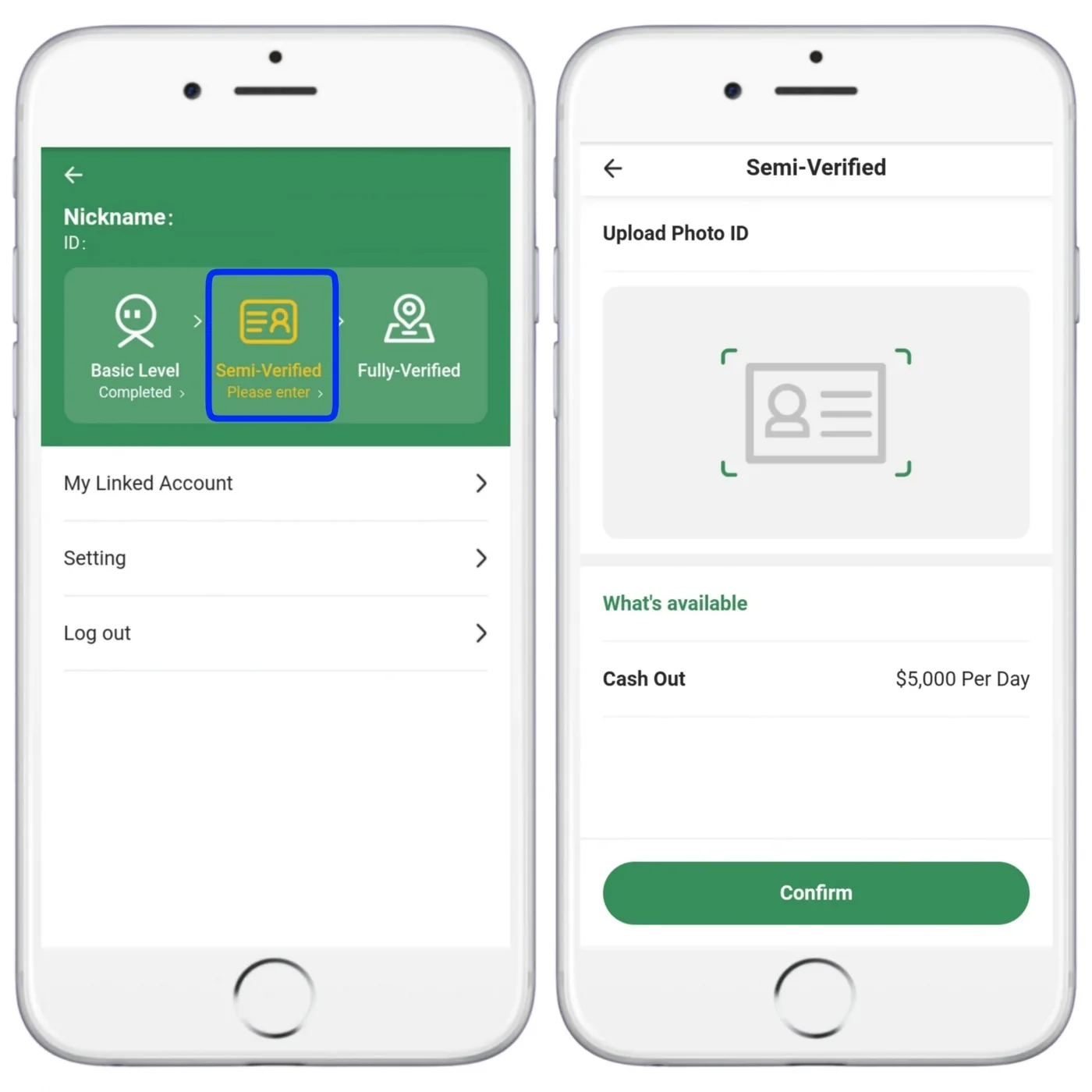
MetWallet Semi-Verified step: upload a photo ID, cash-out limit US$5,000 per day

Level 3

Fully Verified

Proof of address, such as a bank statement or utility bill

Cash-out limit: US$10,000 a day
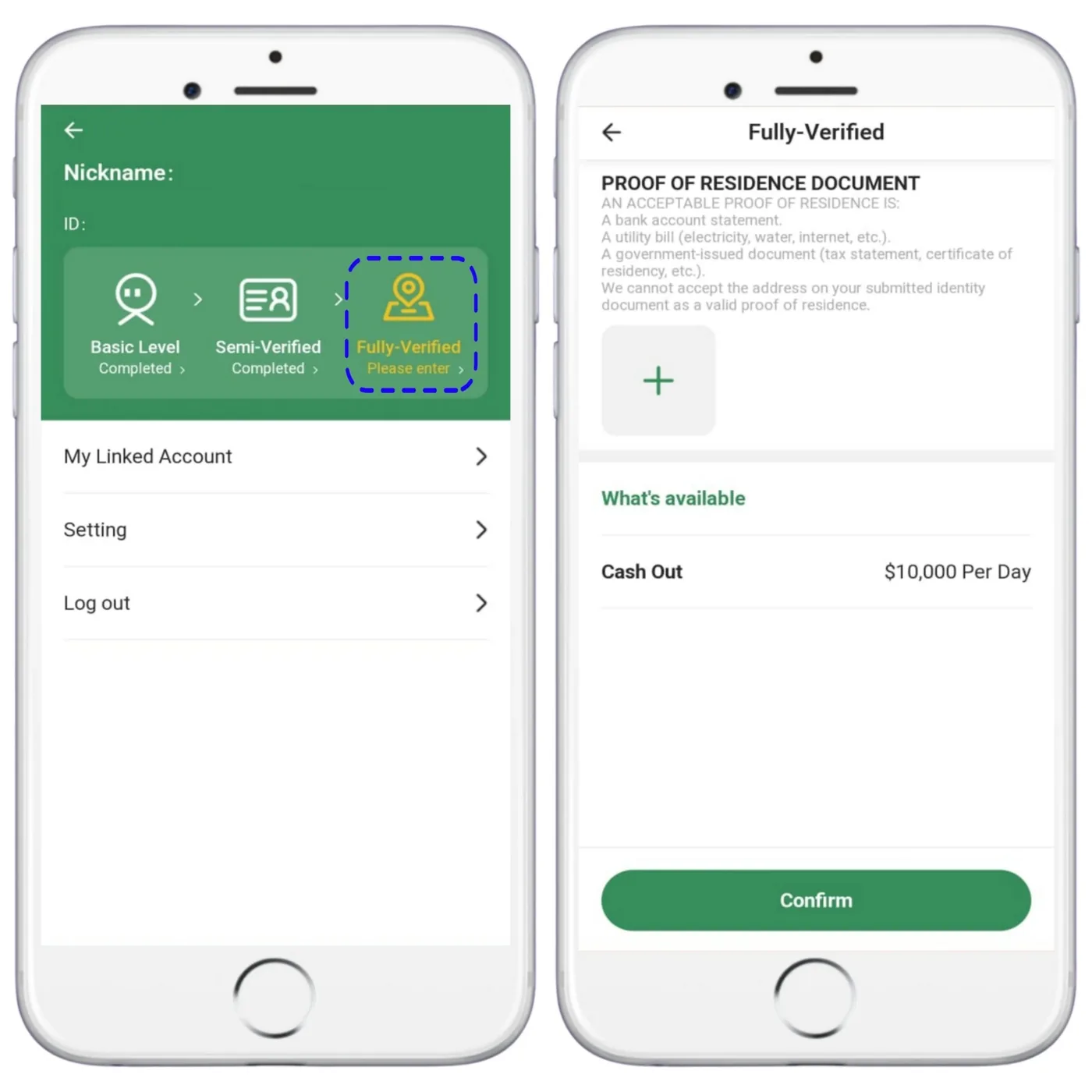
MetWallet Fully-Verified step: proof of residence, cash-out limit US$10,000 per day

Step 3

Link your bank and cash out

  1. In MetWallet, tap Link Account and choose a bank account or e-wallet. The options depend on your country.
  2. Fill in your details exactly as your bank has them, then tap Done. You can link more than one account.
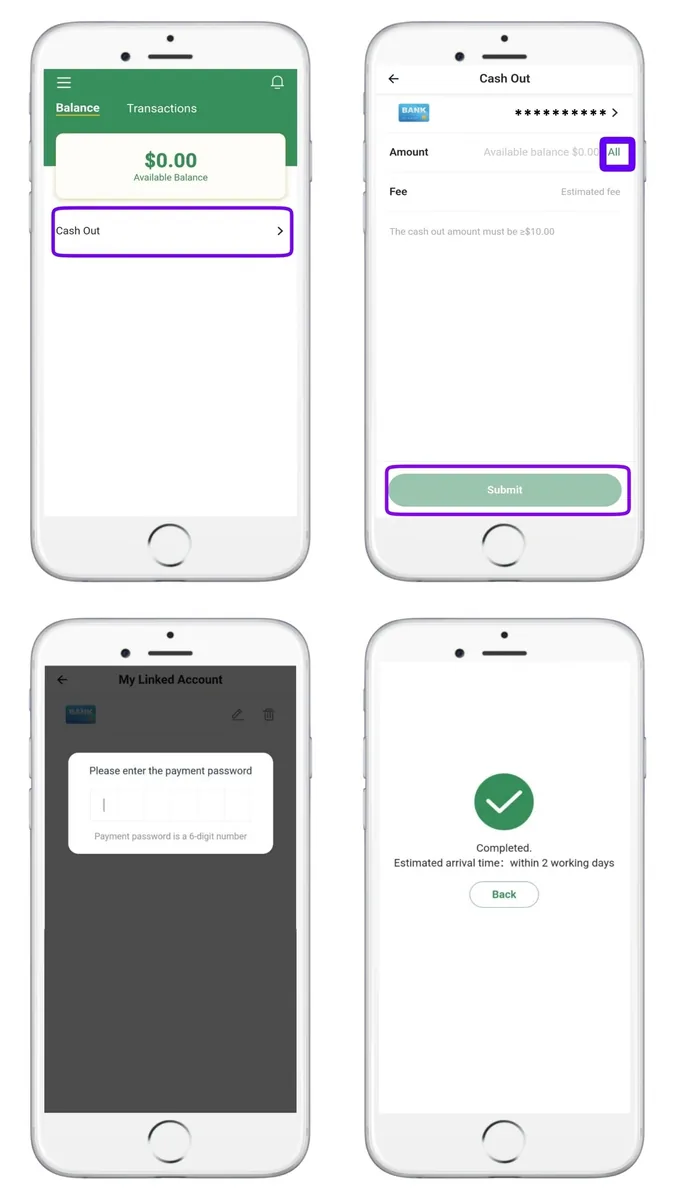
  3. Tap Cash Out, enter the amount (or All) and Submit.
  4. Enter your payment password. Set or change it under Settings.

In our experience bank transfers usually arrive within about two working days, but timing and fees depend on your country and the method you choose. MetWallet shows the current details before you confirm.
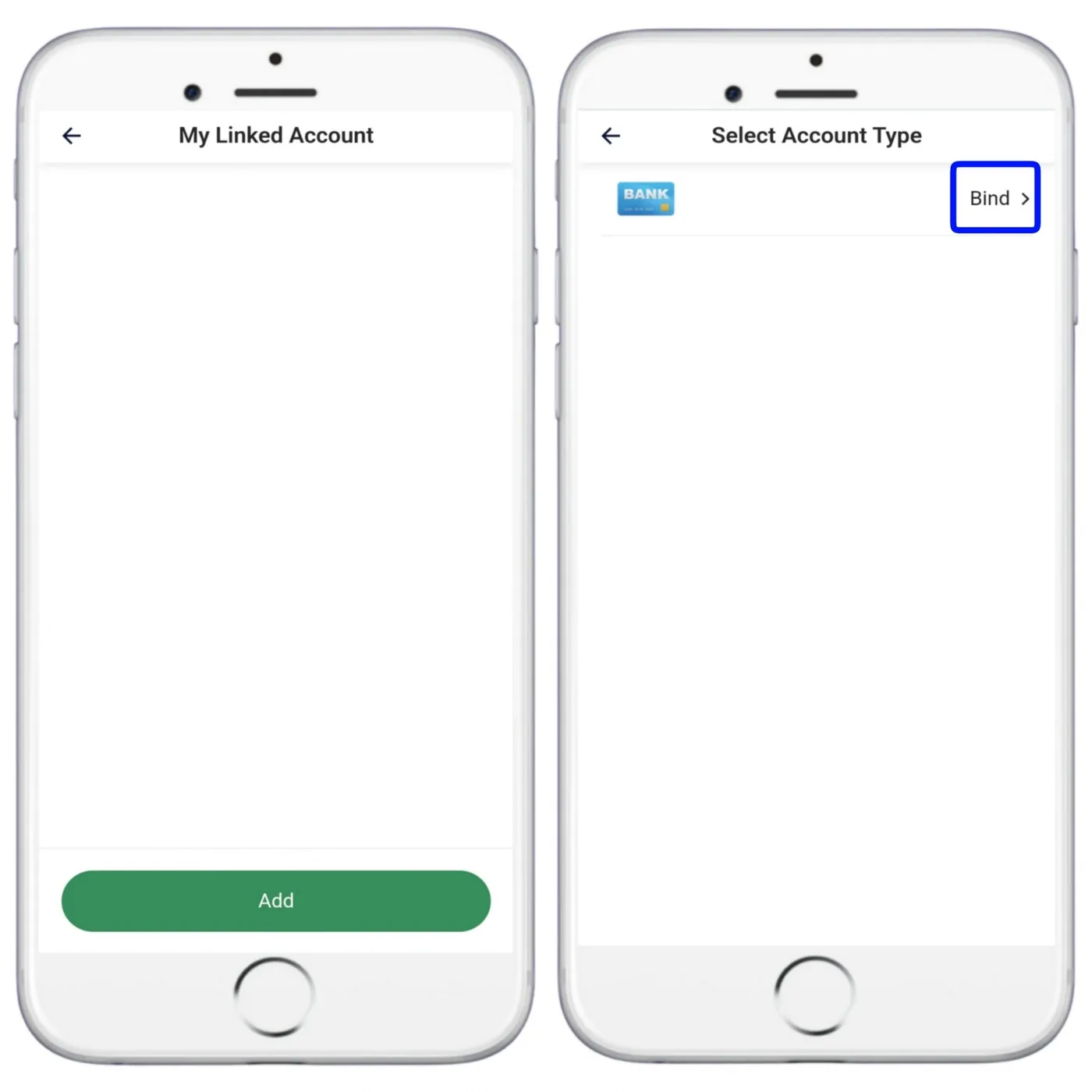
My Linked Account, then Select Account Type and Bind
My Linked Account → Select Account Type → Bind.
Cash Out amount, payment password and confirmation screens
Cash Out → amount → payment password → done.

Video

Watch the whole wallet setup

Verification, linking a bank account and withdrawing, recorded on screen.

MetWallet verification and withdrawals

Verification levels, adding a bank or e-wallet, and cashing out.

Ready when you are

Register free with our official invite link, then follow the step-by-step guide for verification, your profile and your first withdrawal.

Free to join · 18+ only · We never ask for fees, passwords or OTP codes

Join as host (opens in a new tab) Create agency (opens in a new tab)