
Agency setup guide
Run your Chamet agency, step by step
Step 1: Register your agency
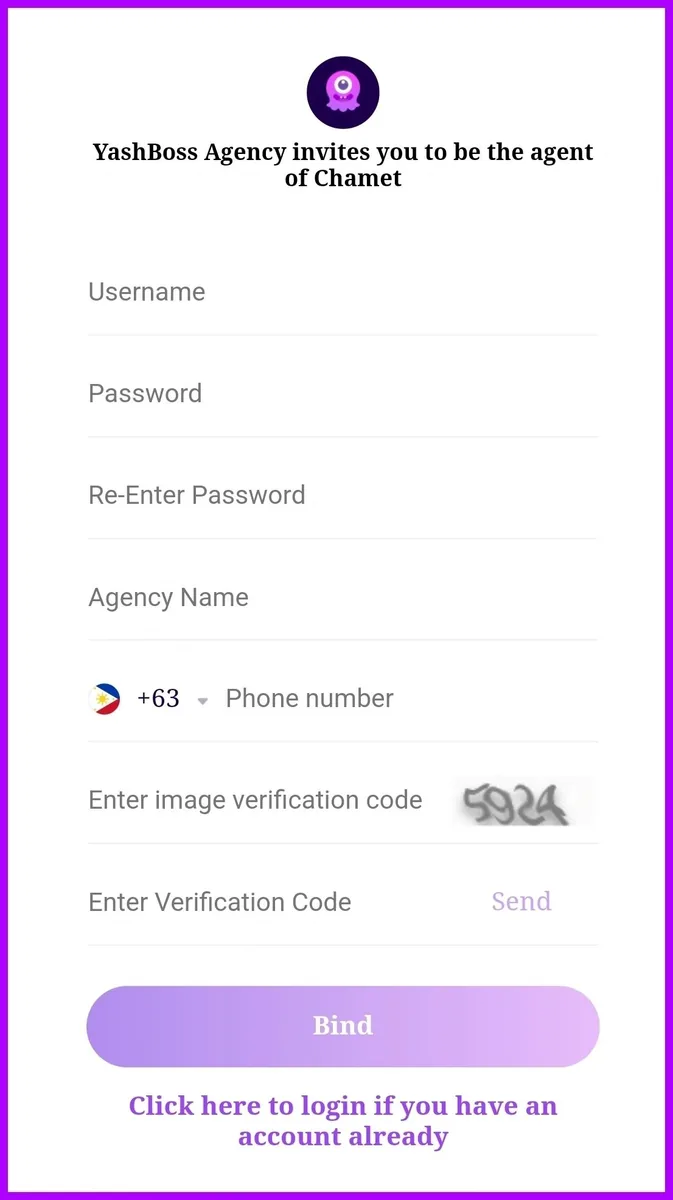
Open our agency invite link. The page says “YashBoss Agency invite you”, which is how our agency appears on Chamet. Fill in:
- A username and password (twice). You will use these to log in.
- Your agency name
- Your phone number, with the country code
- The image verification code shown on screen
Tap Send, enter the verification code you receive, then tap Bind. Your agency is created and the dashboard is ready to use straight away.
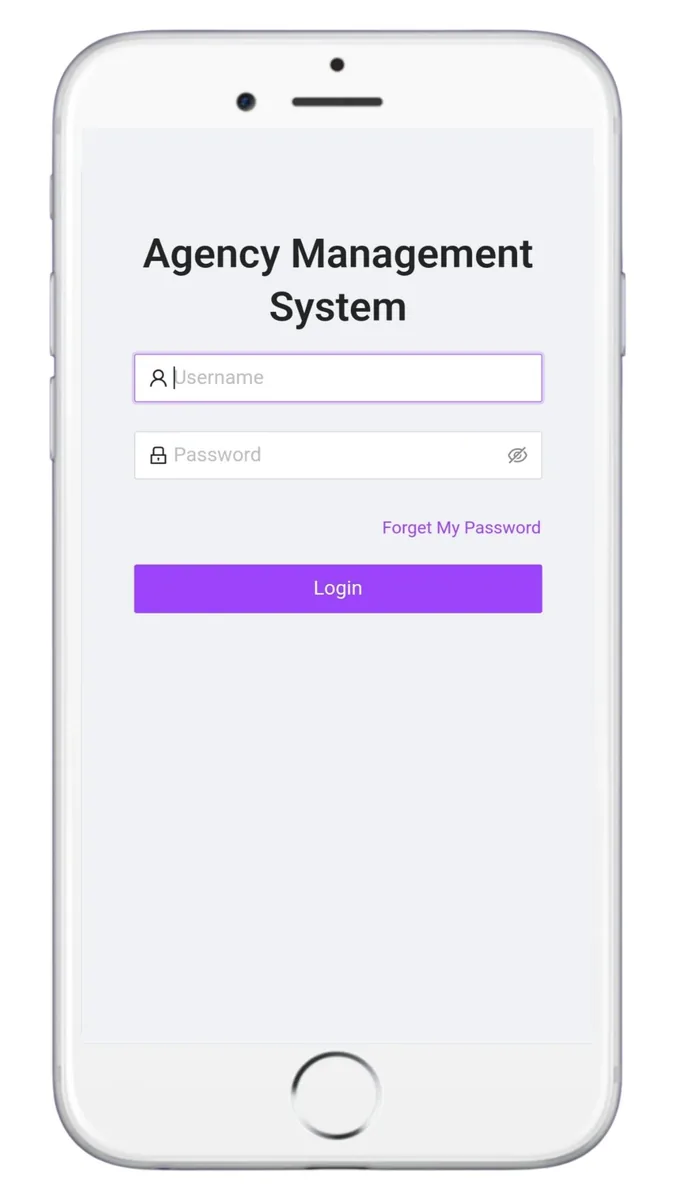
Step 2: Log in to the agency dashboard
Your agency dashboard (Chamet calls it the Agency Management System) is at agent.rchamet.com (opens in a new tab). Sign in with the username and password from step 1.
From the dashboard you can copy invite links, see your hostesses and sub-agents, check daily reports and settlement, and bind your wallet.
Step 3: Add at least one contact method
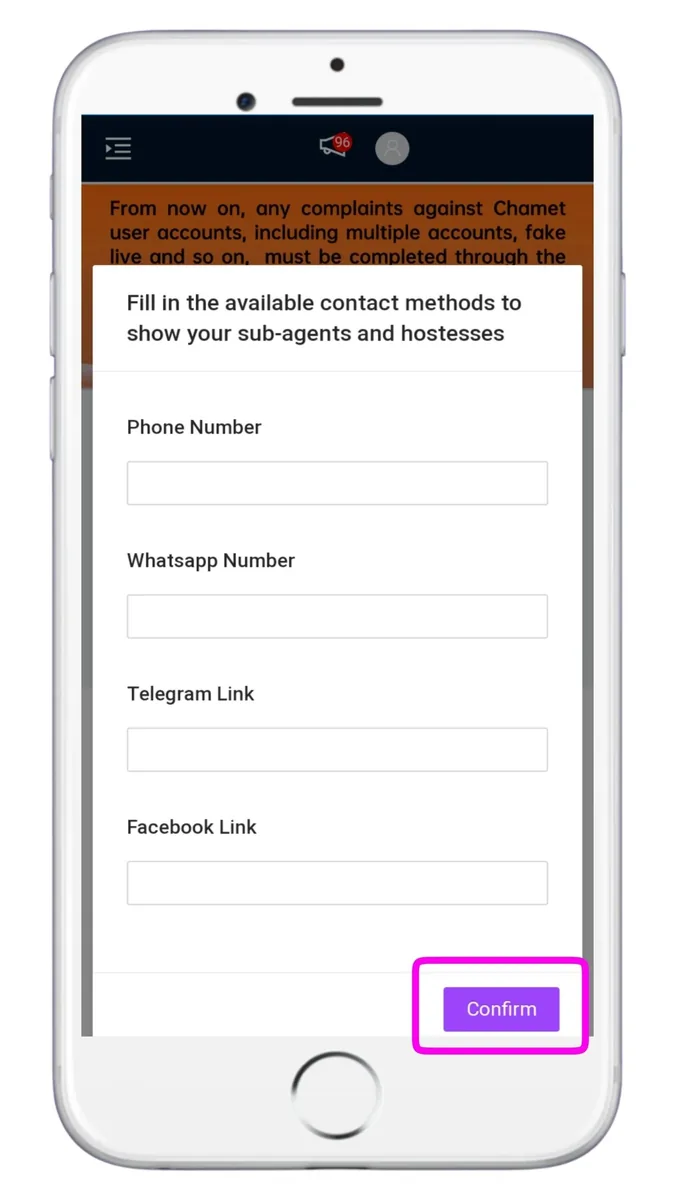
Before you start recruiting, add at least one way for your team to reach you: phone number, WhatsApp number, Telegram link or Facebook link. Tap Confirm to save.
Your hostesses and sub-agents see these details, so use a number or account you check every day.
Step 4: Add hosts with your invite link
This is the easiest way, and it works automatically:
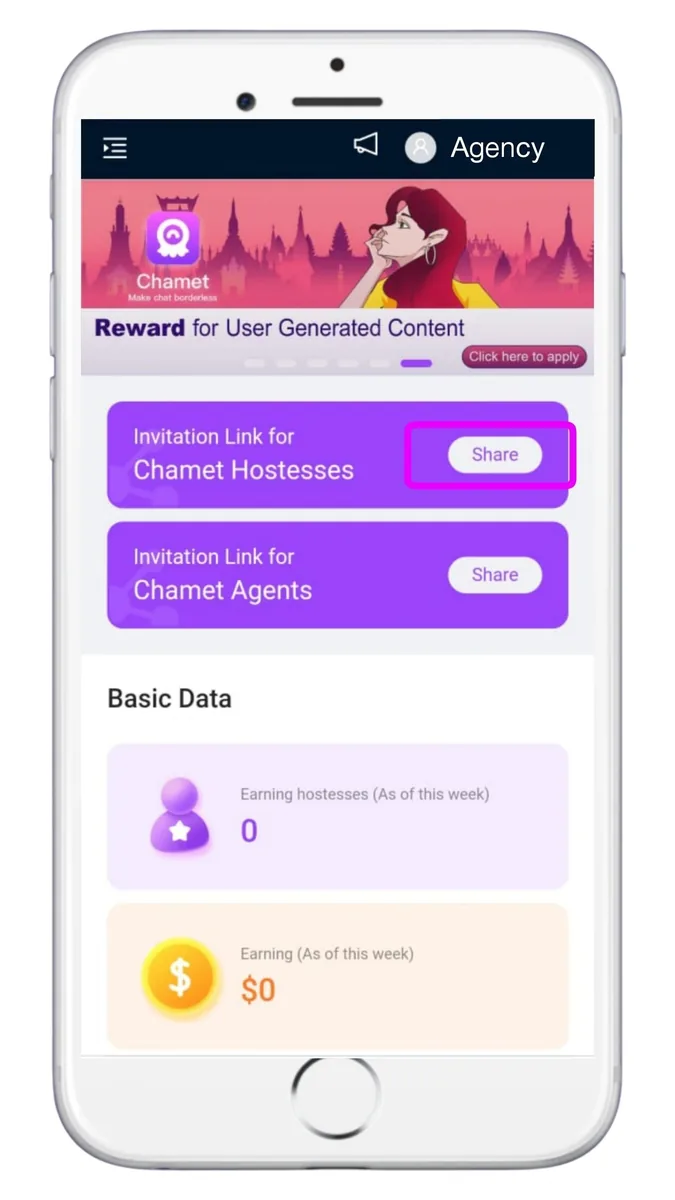
- In the dashboard, tap Share next to the invitation link for hostesses. The link is copied.
- Send it to your new host. She opens it, chooses her country code, enters her number and confirms the OTP.
- She installs Chamet from the official download page (opens in a new tab) and registers with Phone, using the same number.
- She chooses Female, then adds her birth date, photo and nickname. She is now in your team.
Send her our host setup guide: it walks through the same steps with screenshots.
Step 5: Add a host manually, by Chamet ID
Use this if a new host signed up without the link (for example with Google). Her account must have a bound phone number or Gmail first.
- Ask her for her Chamet ID and the phone number or Gmail bound to it. She finds the ID under Profile, thenMy Profile.
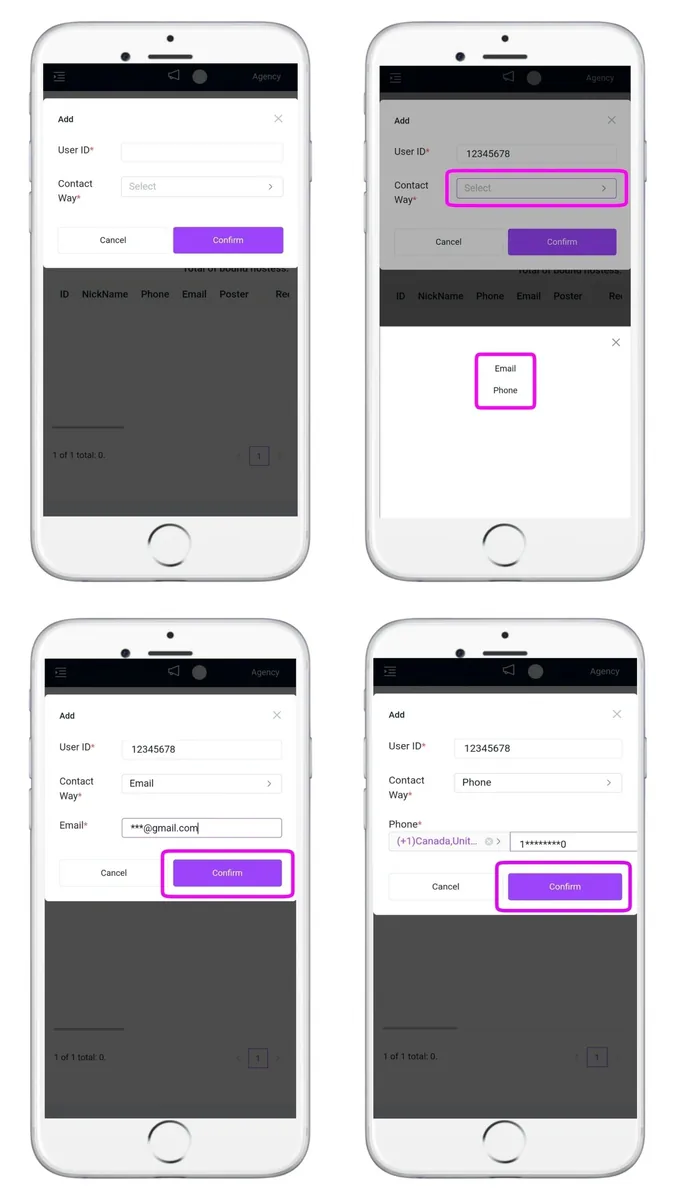
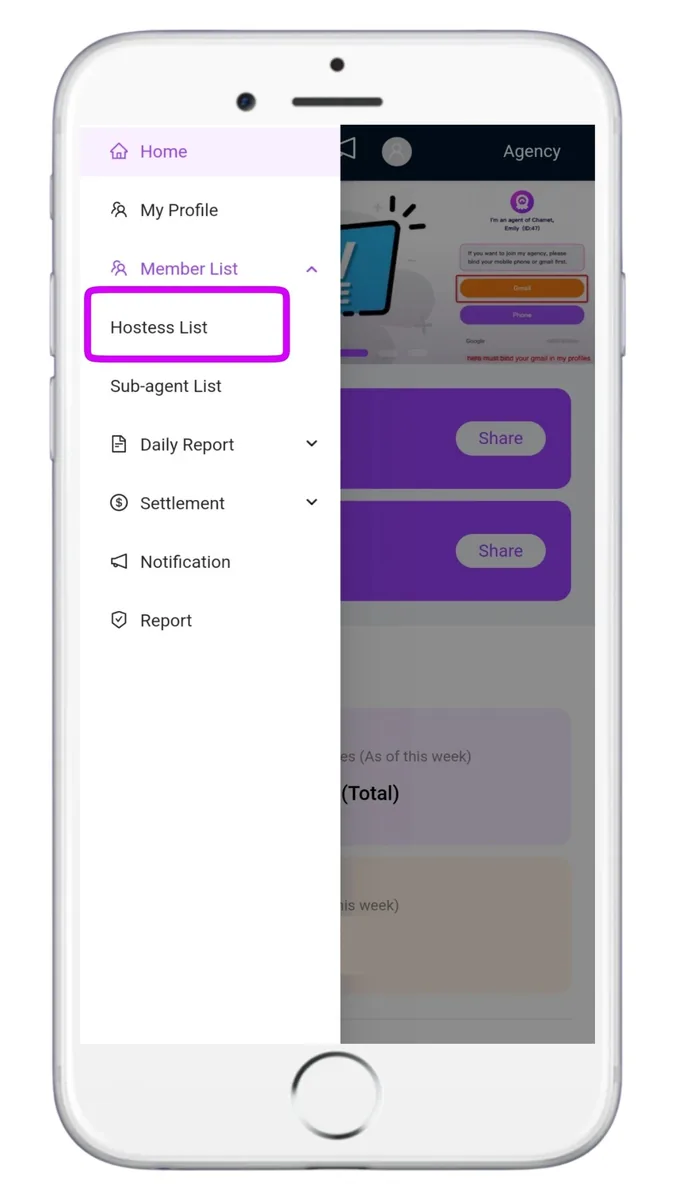
- In the dashboard, open Menu, thenMember List, thenHostess List and tap Add.
- Enter her ID and phone number (with country code) or Gmail, then Submit.
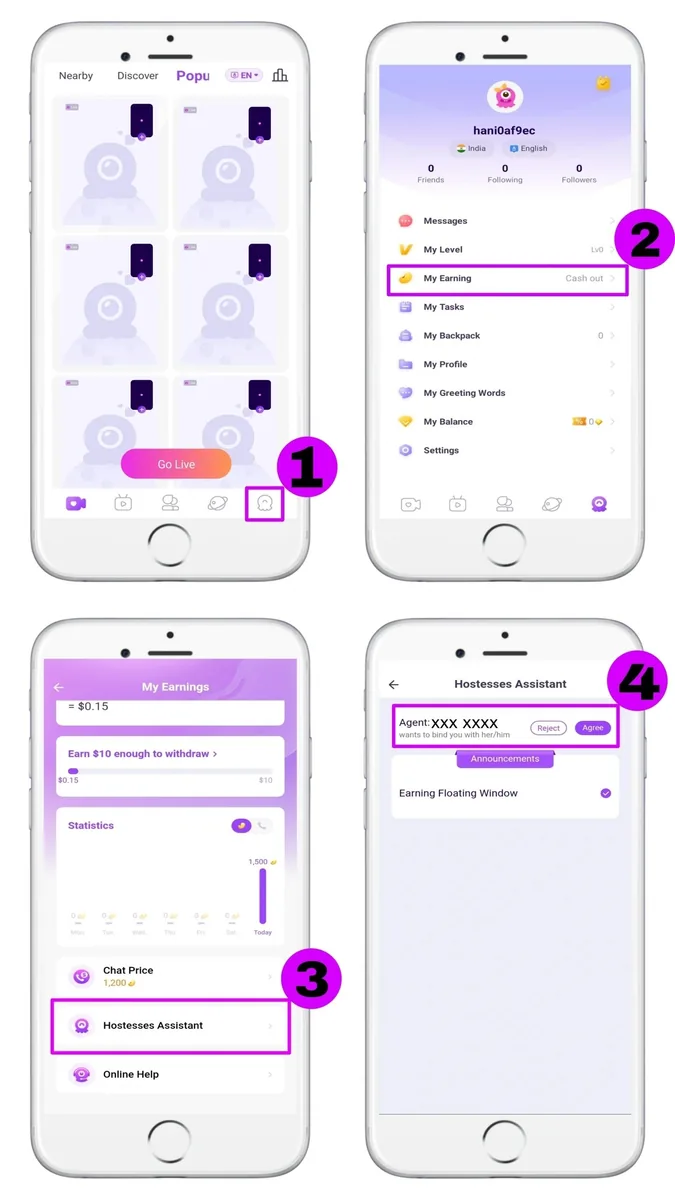
- She accepts in the app: Profile, thenMy Earning, thenHostesses Assistant, thenAgree.
Step 6: Invite sub-agents
The dashboard also has an invitation link for agents. Anyone who registers an agency through it becomes your sub-agent, and their team's earnings count towards your 30-day total.
For each sub-agent you earn the difference between your rate and theirs on their team's revenue. See the worked example.
Recruit sub-agents who will actively look after their hosts: a quiet sub-agent adds nothing to your total.

Step 7: Bind MetWallet to receive commission
Chamet pays your commission directly. To withdraw it:
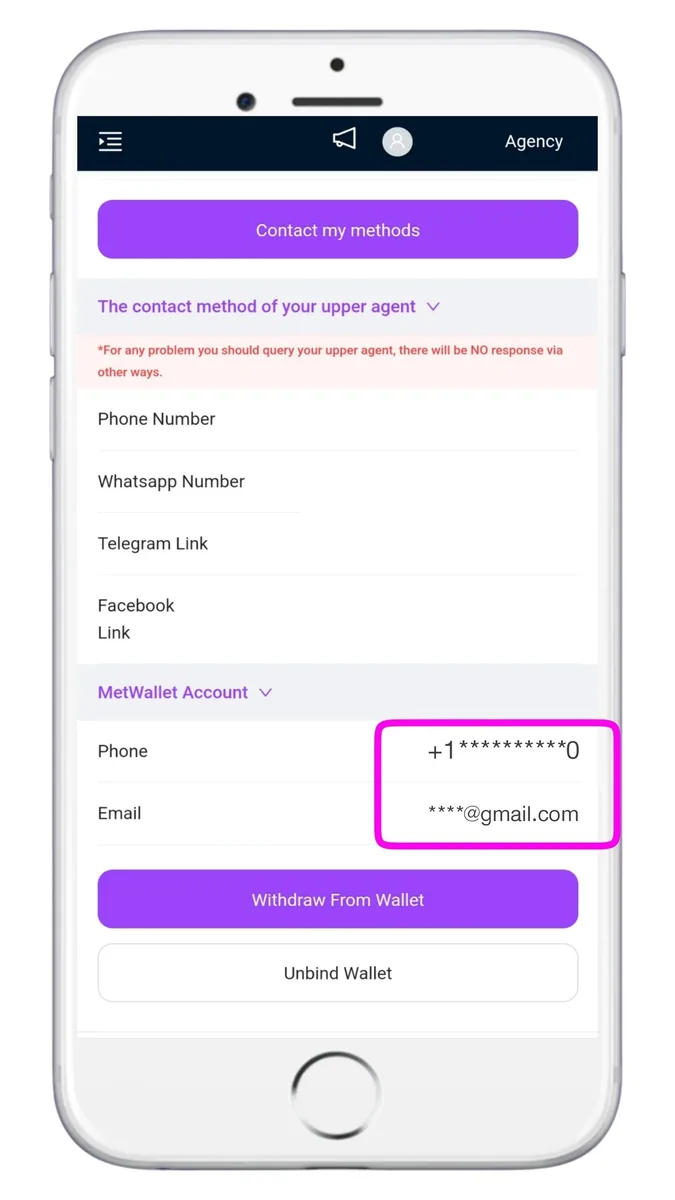
- In the dashboard, open Menu, thenMy Profile and choose to bind MetWallet.
- Tap Go to MetWallet, then register or sign in with your email or phone number and confirm the code.
- Tap Authorize. Your MetWallet account now shows in the dashboard, where you can change it if needed.
Verification levels, withdrawal limits and cashing out to your bank are covered in the payments guide.
Video tutorials
Screen recordings of these steps. Videos load from YouTube only when you press play.
How to create a Chamet agency
Registering your agency with the invite link and logging in to the dashboard.
How to add a host to your agency
How a new host joins the agency through the invite link, for Chamet and MateMet.
Bind MetWallet in the Chamet agency dashboard
Connecting your wallet so commission can be withdrawn.
MetWallet verification and withdrawals
Verification levels, adding a bank or e-wallet, and cashing out.
Ready to start your agency?
Register with our agency invite link, then use this guide to add your first hosts and bind your wallet.
Free to join · 18+ only · We never ask for fees, passwords or OTP codes