Host setup guide
Chamet host registration, step by step
Step 1: Bind your number with our invite link
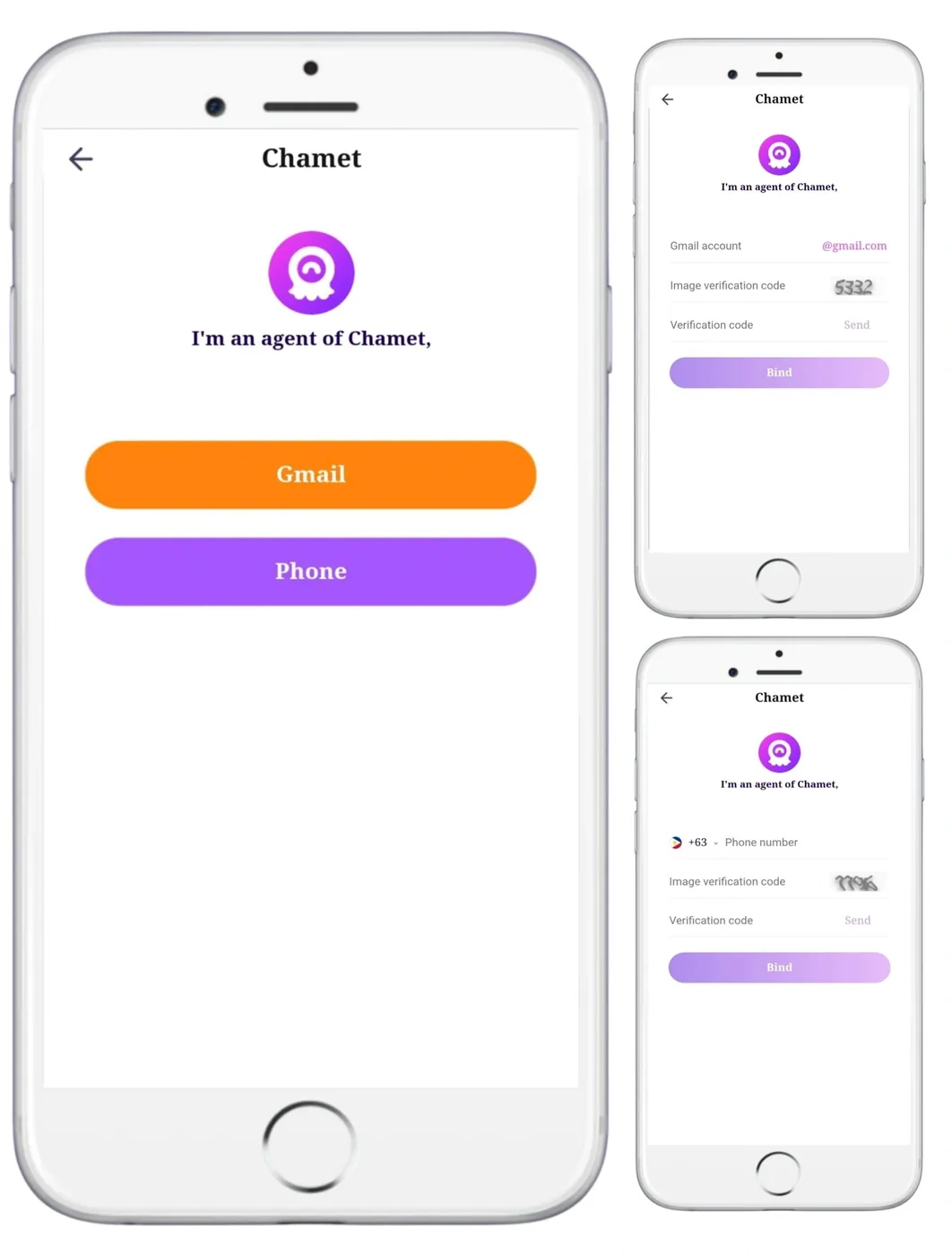
Open our host invite link on your phone. The page says “YashBoss Agency invited you”, which is how our agency appears on Chamet.
- Choose your country code and enter your mobile number.
- Tap Send and enter the OTP code you receive by SMS.
- Tap the button to bind. Your number is now linked to our agency.
We recommend Phone. If you use Gmail instead, create your Chamet account with that same Gmail address in step 3.
Step 2: Install Chamet from the official page
Download the app from Chamet's official download page (opens in a new tab), which lists the current options for Android and iPhone. Store availability varies by country, so start there rather than searching an app store.
Step 3: Create your account with the same number
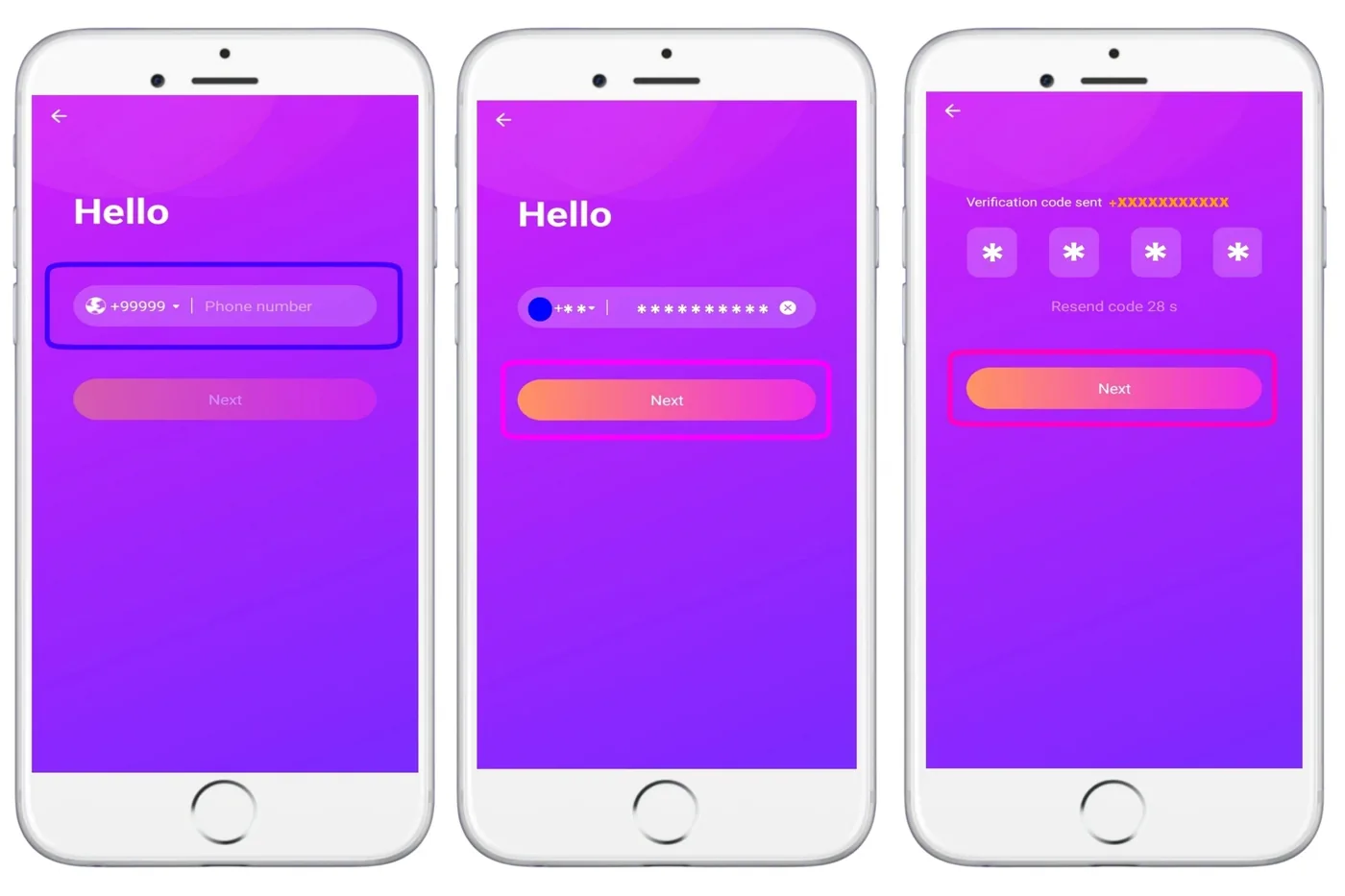
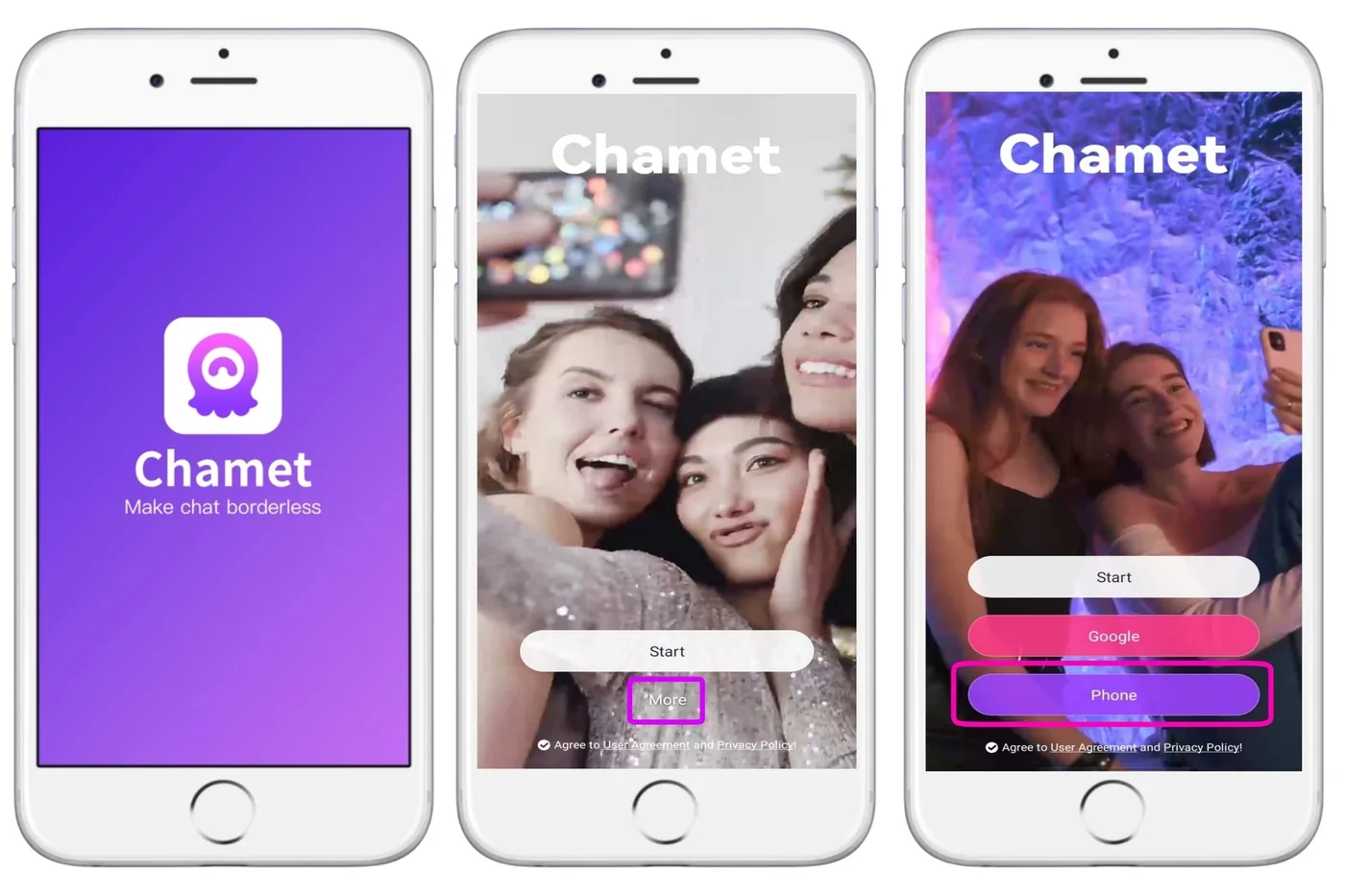
- Open Chamet and tap More, then Phone.
- Enter the same number you bound in step 1, then the OTP code.
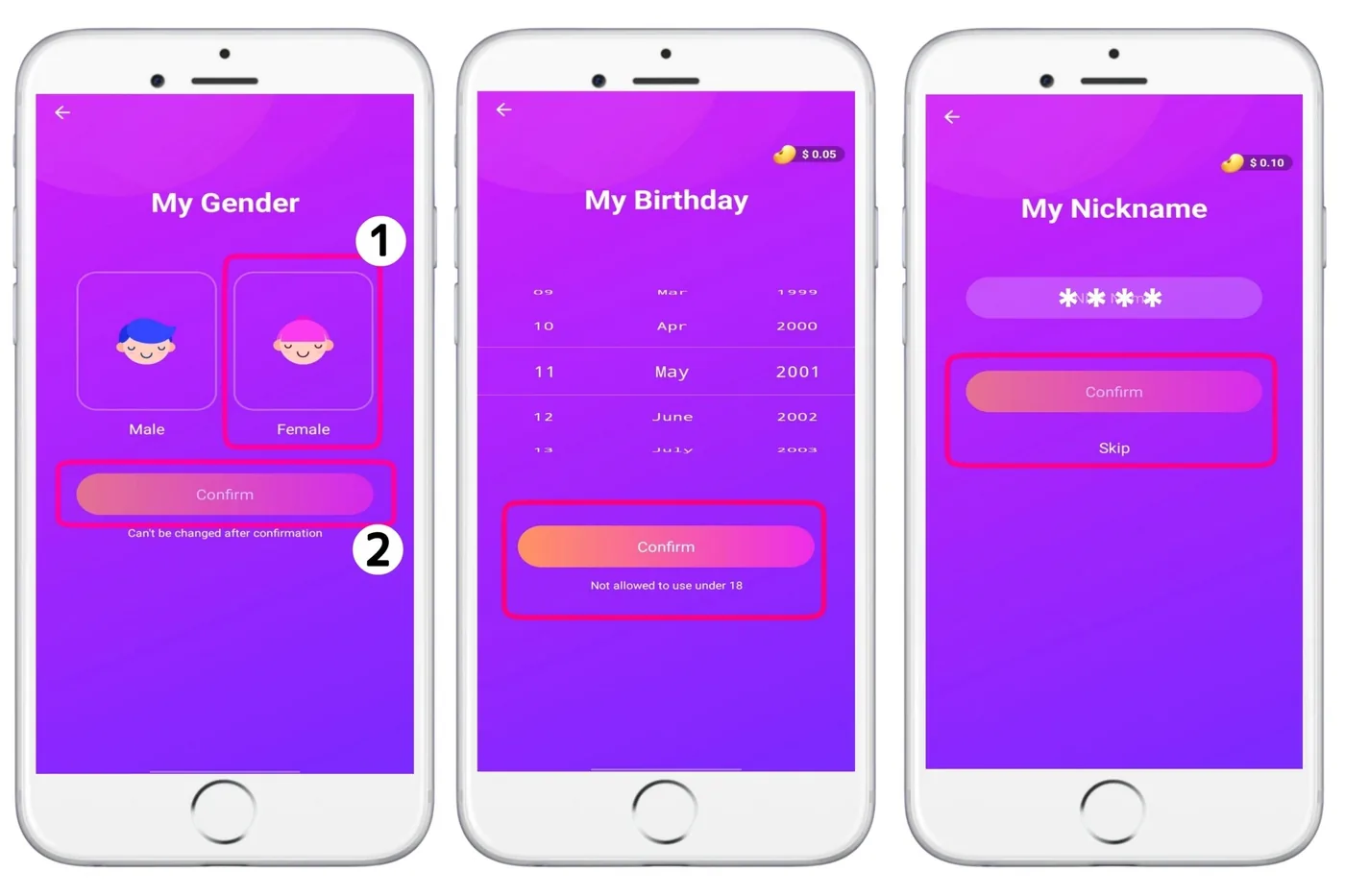
- Choose Female, then your birth date (you must be 18 or older) and a nickname.
Step 4: Add a profile photo that passes review
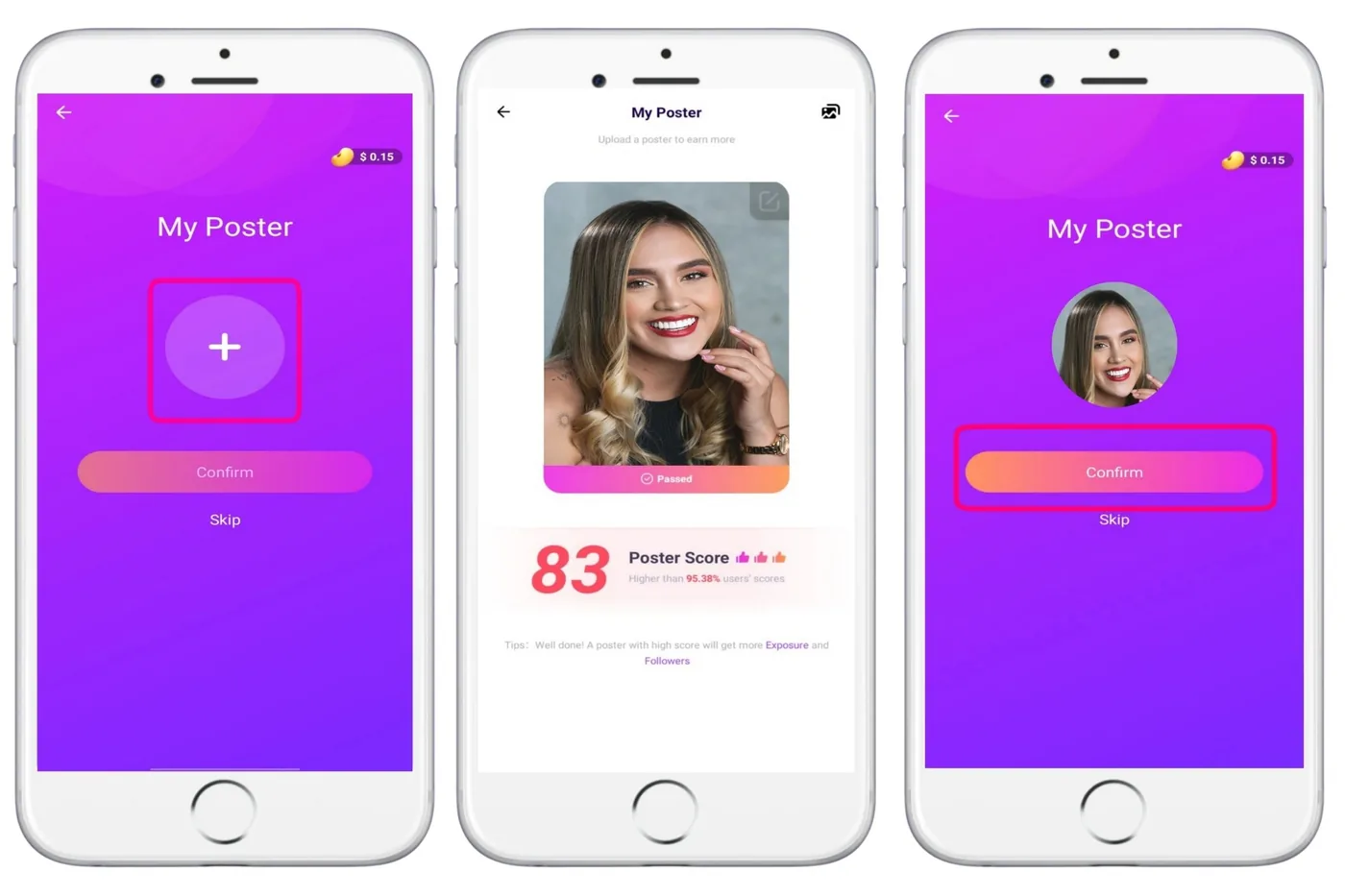
Your profile photo (poster) gets a score, and better photos are shown to more people. Chamet's standards:
- A real photo of you, not of someone else
- Sharp, bright and with a tidy background
- Half-length and dressed decently
Later, add a short voice introduction to your profile too.
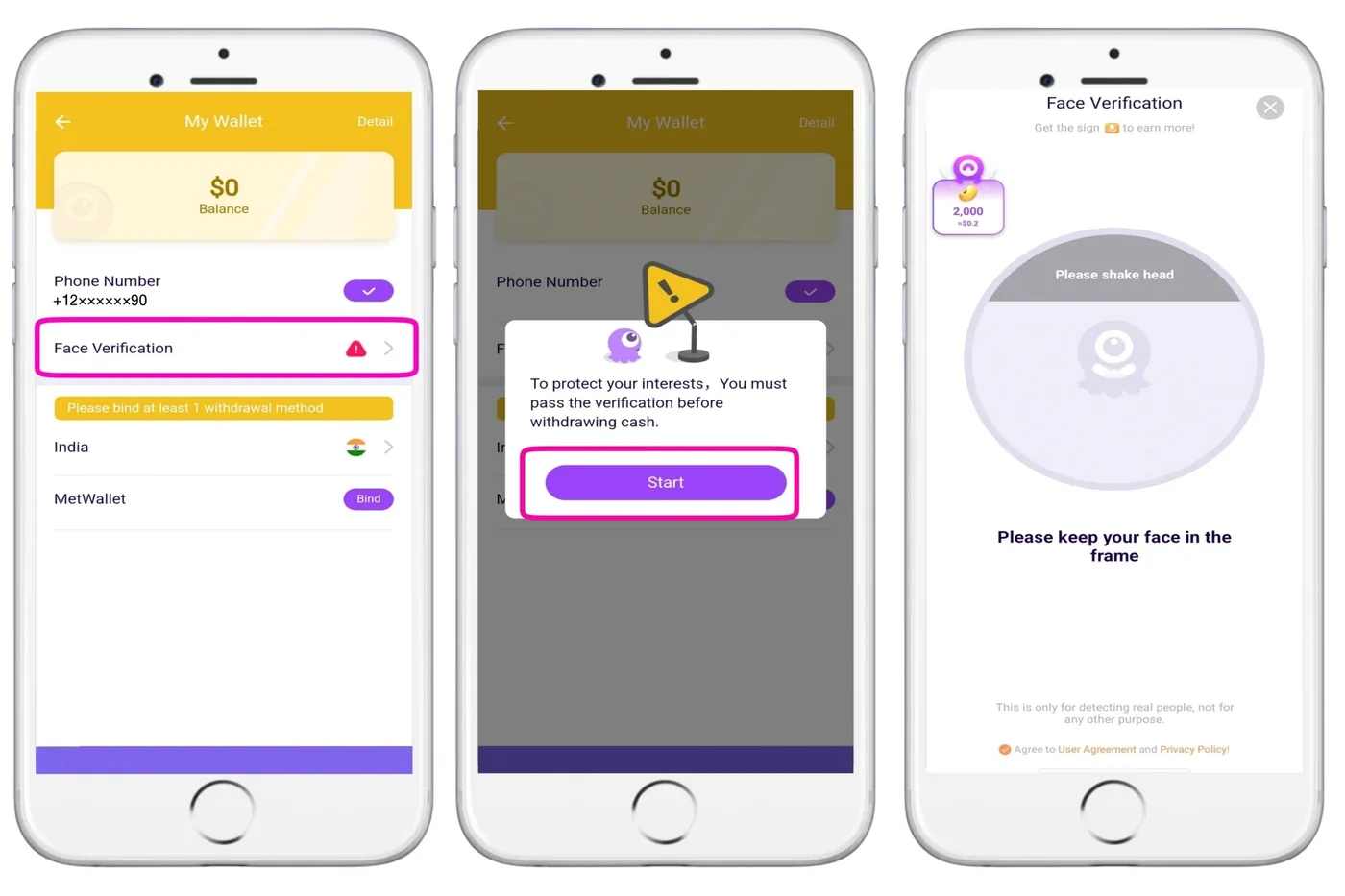
Step 5: Pass face verification
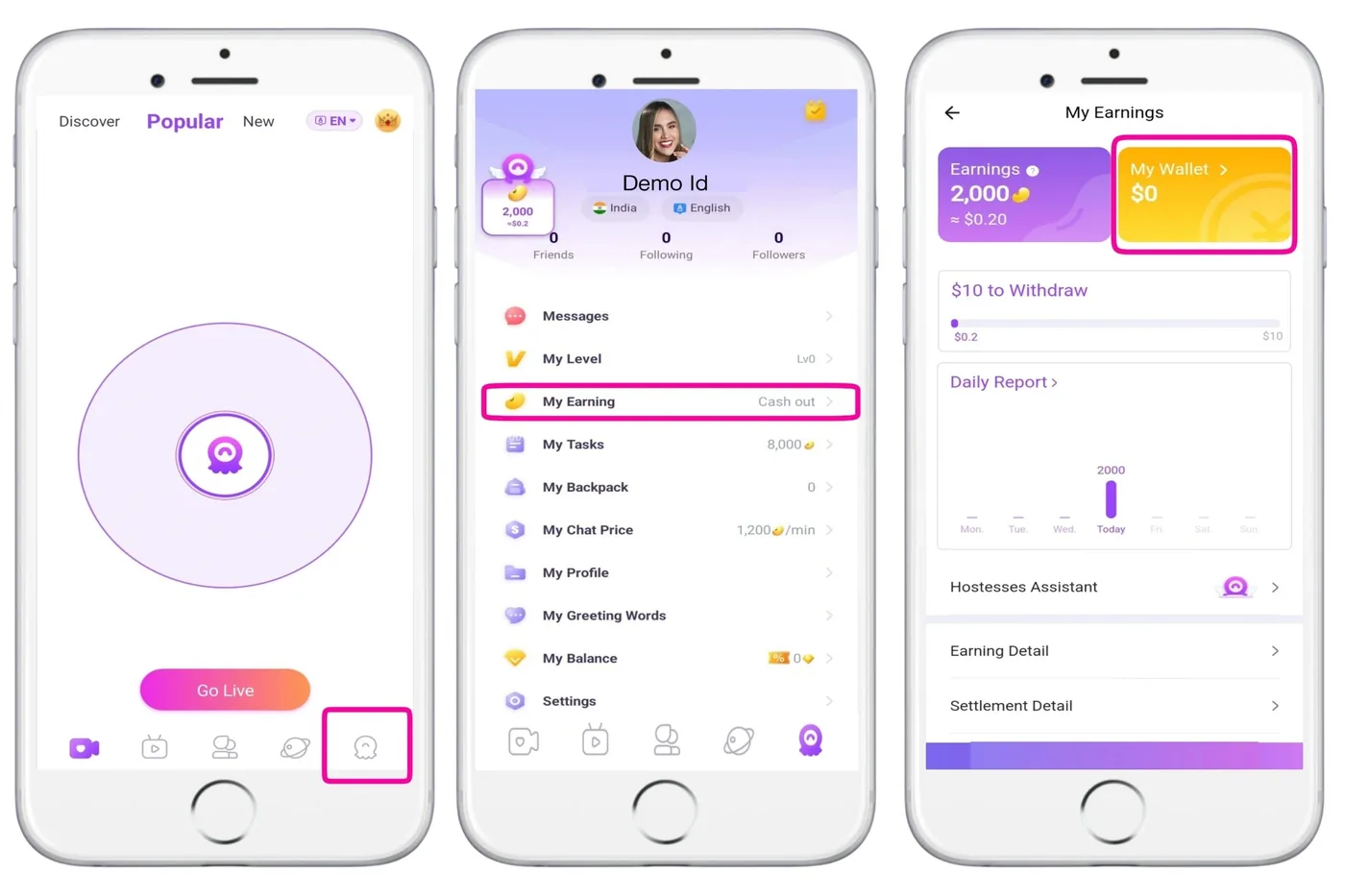
Face verification confirms you are the person in your photos. Open:
Profile, thenMy Earning, thenMy Wallet, thenFace Verification
Tap Start and keep your face inside the circle. You may be asked to:
- Nod (lift your head slightly)
- Blink
- Open and close your mouth
- Shake your head
If it fails, try again somewhere brighter, without a hat or sunglasses, and hold the phone steady. If it keeps failing, wait a while before trying again.
Step 6: Bind MetWallet so you can withdraw
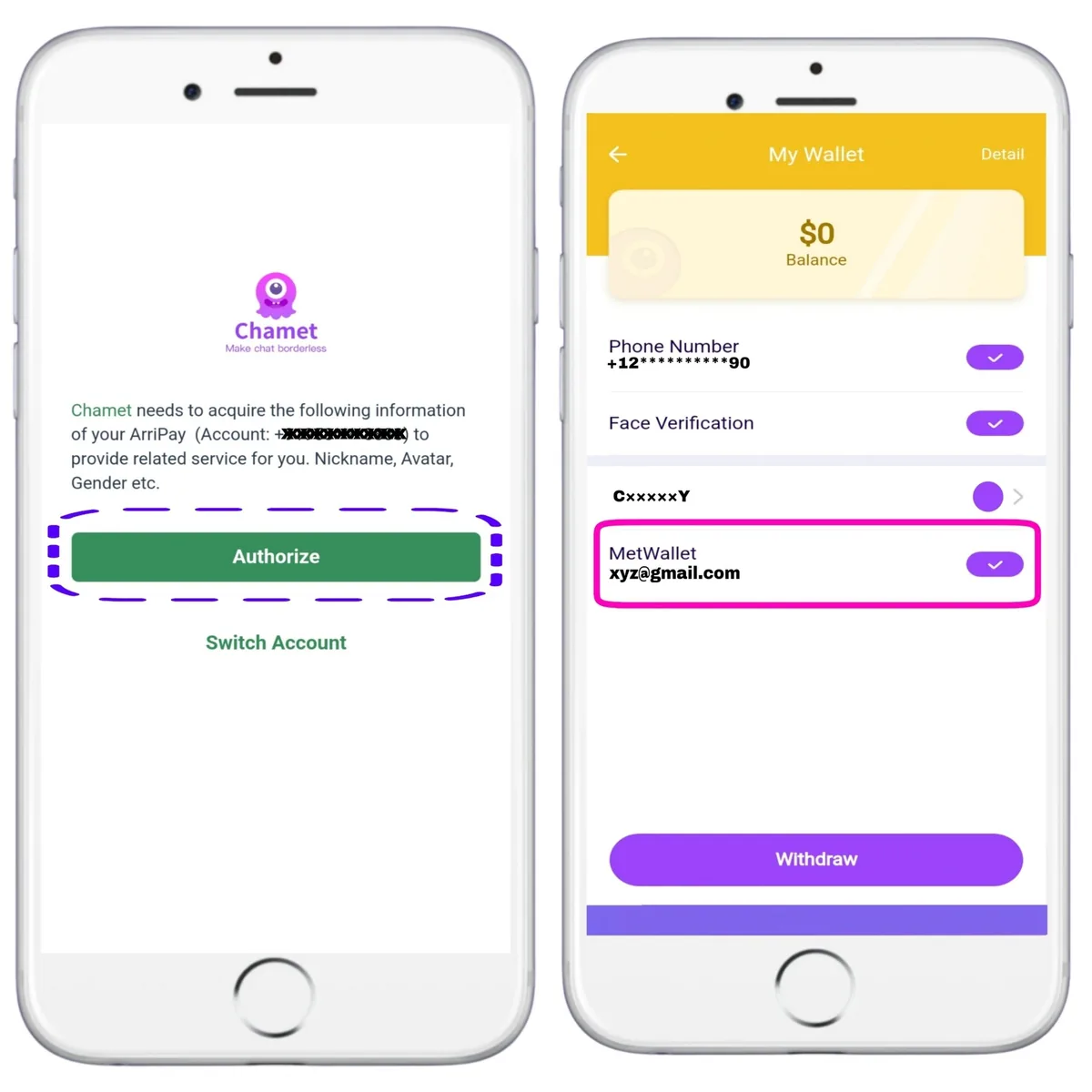
MetWallet is Chamet's official wallet. In the same My Wallet screen:
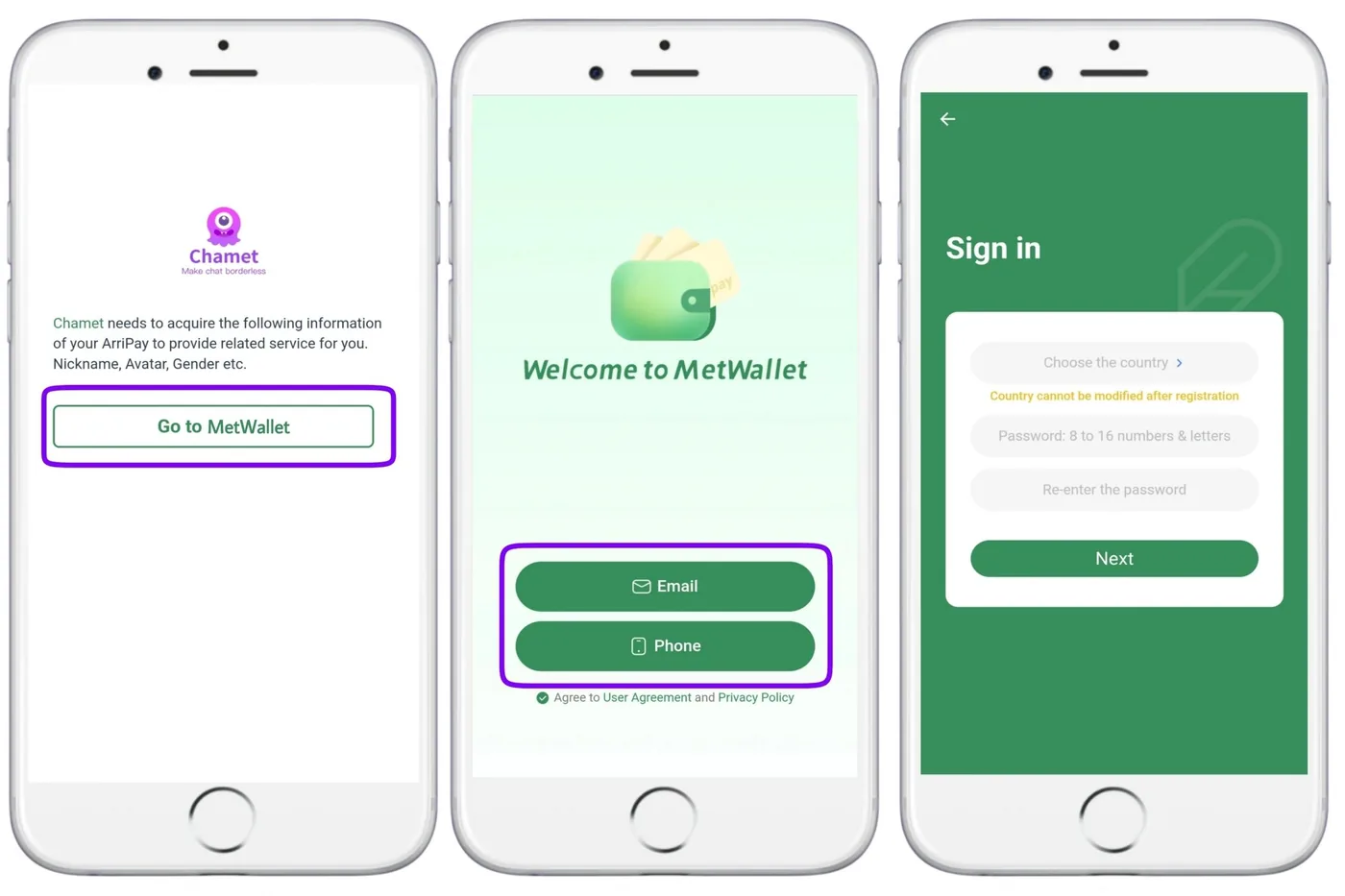
- Tap the MetWallet bind option, then Go to MetWallet.
- Create a MetWallet account with your email or phone number (or sign in if you have one).
- Tap Authorize. Your MetWallet account now shows in My Wallet.
Withdrawals start at US$10. Verification levels and cashing out to your bank are in the payments guide.
Step 7: Go live and grow
New accounts start at Level 1, where you can open a live room and receive gifts. One-to-one video chat is not available at Level 1 and unlocks as you progress; party rooms open at Level 6. Read the rules before your first stream. Going live at the same times each day helps returning viewers find you.
Video tutorials
Screen recordings of the same steps. Videos load from YouTube only when you press play.
How to add a host to your agency
How a new host joins the agency through the invite link, for Chamet and MateMet.
Bind MetWallet to your Chamet account
Linking MetWallet inside the app so you can withdraw Beans.
MetWallet verification and withdrawals
Verification levels, adding a bank or e-wallet, and cashing out.
Ready to register?
Open our host invite link and follow the steps above. The whole setup takes about 15 minutes.
Free to join · 18+ only · We never ask for fees, passwords or OTP codes